# Left-hand mode

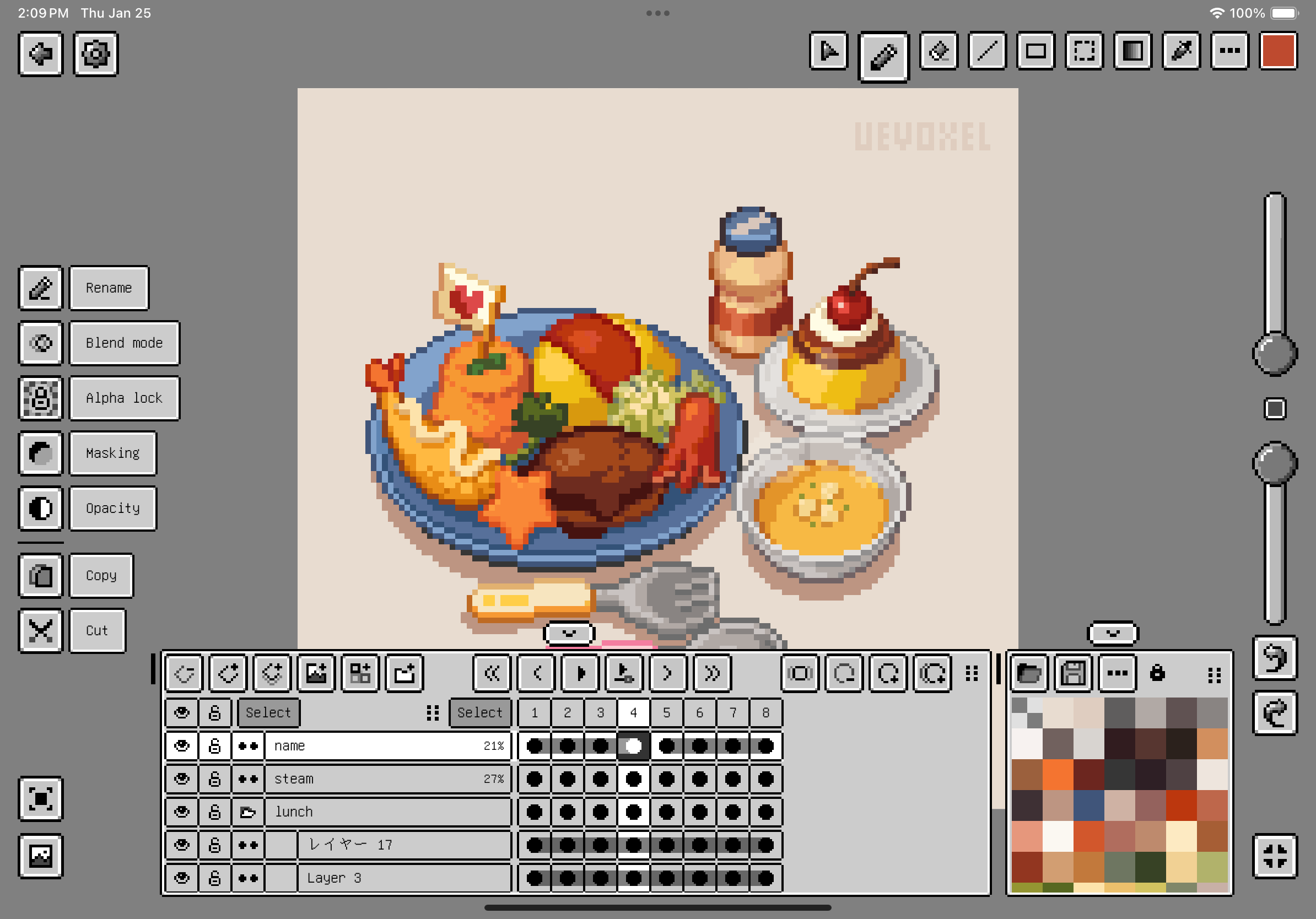
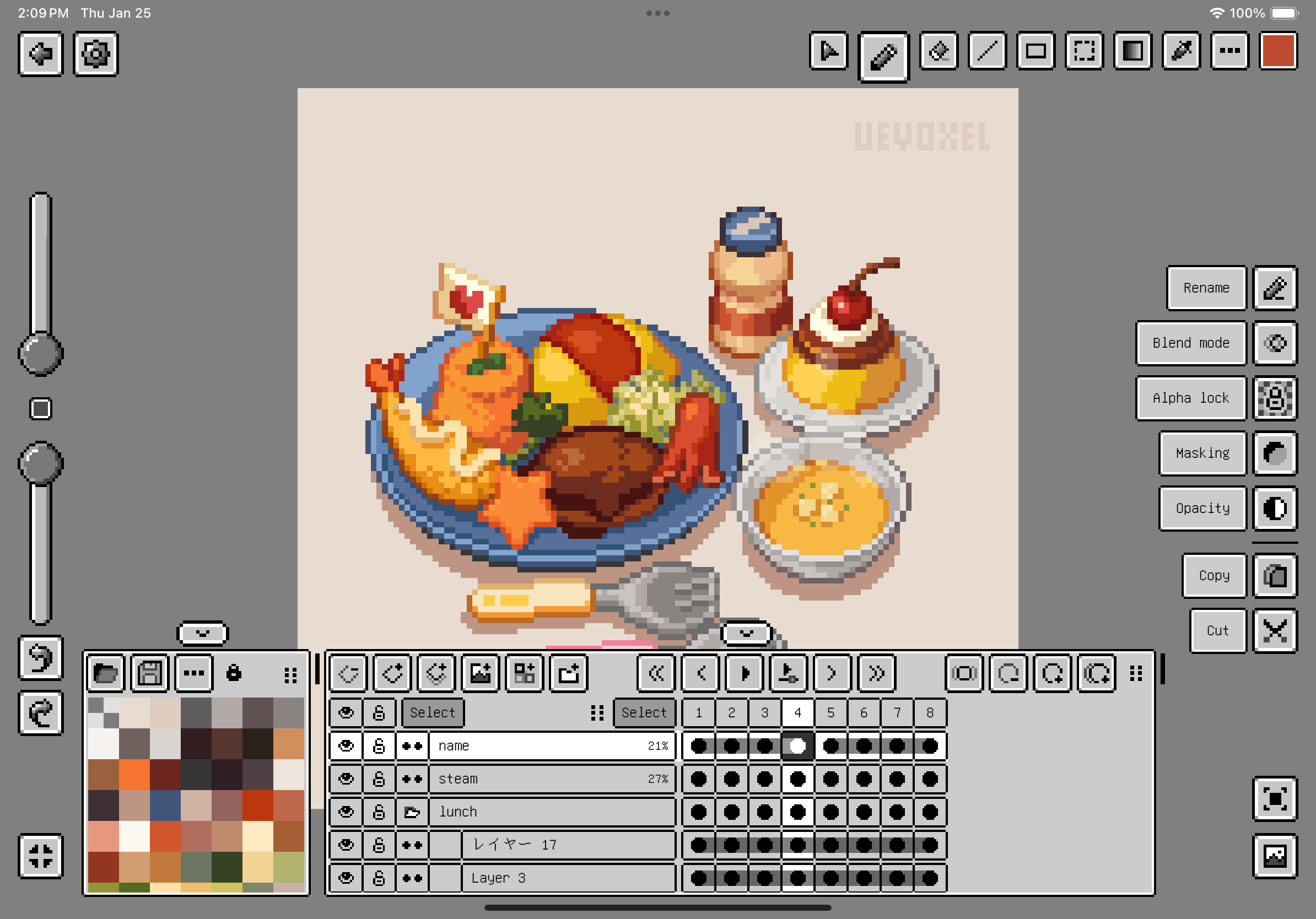
To enable left-hand mode, go to Settings > Features > Left-hand mode.
<figure><img src="https://1813203282-files.gitbook.io/~/files/v0/b/gitbook-x-prod.appspot.com/o/spaces%2FOddm4yDredA8gF0g7cDm%2Fuploads%2FCAssJyE4kPL6PURl9qaJ%2FRight%20hand%20mode.png?alt=media&#x26;token=a821cb33-250f-4bba-b305-84d9ea03f355" alt="" width="563"><figcaption><p>Right-hand mode. Artwork by <a href="https://x.com/UeVoxel">UEVOXEL</a></p></figcaption></figure>

<figure><img src="https://1813203282-files.gitbook.io/~/files/v0/b/gitbook-x-prod.appspot.com/o/spaces%2FOddm4yDredA8gF0g7cDm%2Fuploads%2FXHqaNthvLJZ0Da3EpMAZ%2FLeft%20hand%20mode.png?alt=media&#x26;token=af95f0d1-92ef-4aa5-a8ca-b92805d96be2" alt="" width="563"><figcaption><p>Left-hand mode. Artwork by <a href="https://x.com/UeVoxel">UEVOXEL</a></p></figcaption></figure>

Artwork by [@UeVoxel](https://twitter.com/UeVoxel)